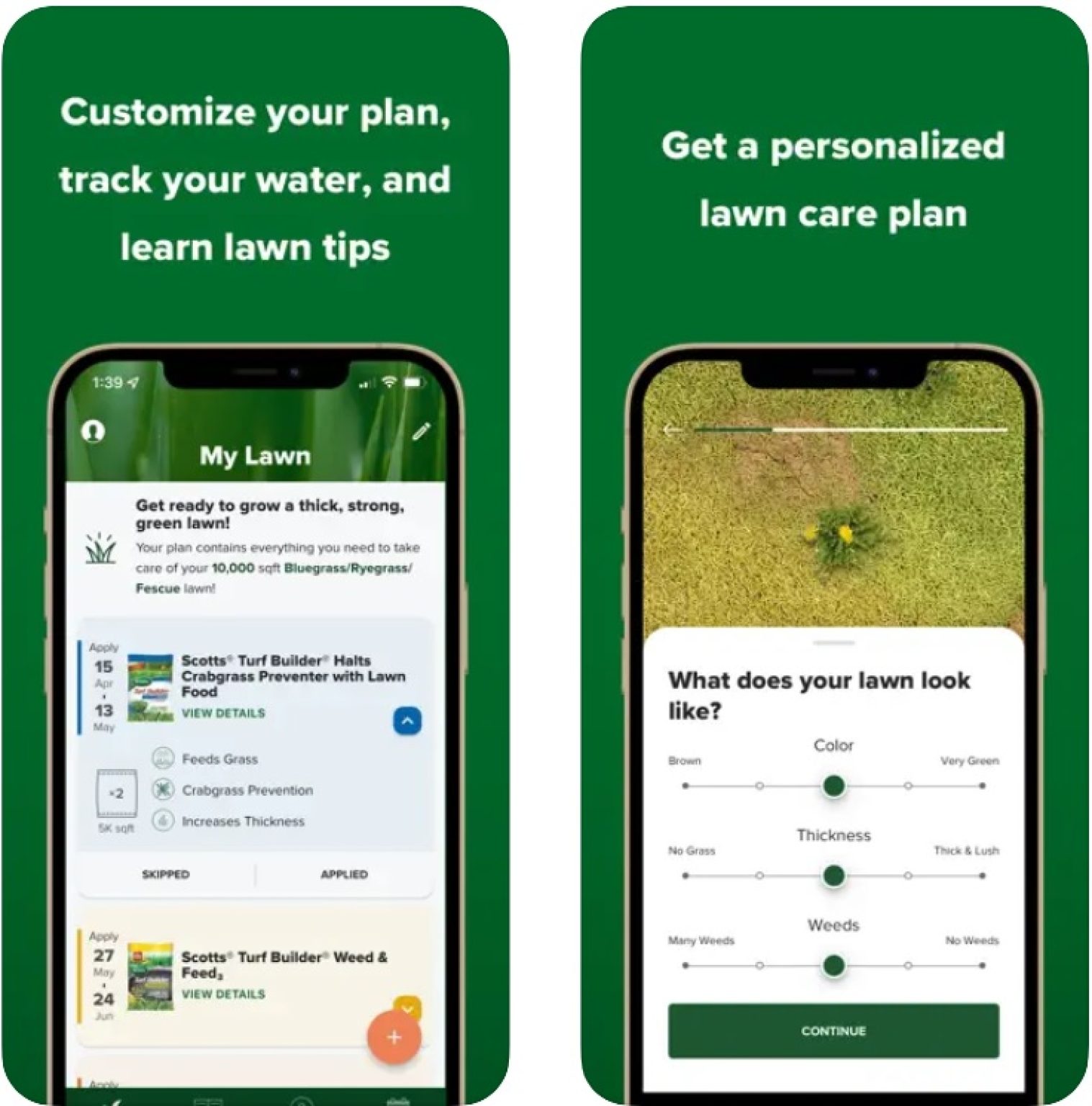
Yes, an app to identify lawn problems can help you find possible causes of yellow grass, brown spots, bare patches, weeds, and other common lawn issues. These apps use photos and plant data to suggest causes, but you should check the results before treating your yard.
Across the United States, lawns face very different challenges. A yard in humid Florida may develop fungal problems, while a lawn in dry Arizona may suffer from heat and water stress. Northern lawns can also show damage from winter weather, compacted soil, insects, and poor drainage. The right diagnosis depends on your grass type, local climate, soil, and recent care.
A lawn diagnosis app gives you a useful starting point when your grass looks unhealthy. You can take a photo, review possible causes, and learn which signs to check next. Some apps focus on plant diseases, while others offer lawn care schedules, watering advice, or access to lawn care professionals. The key is to use the app as a guide, not as proof that a specific disease or pest is present.
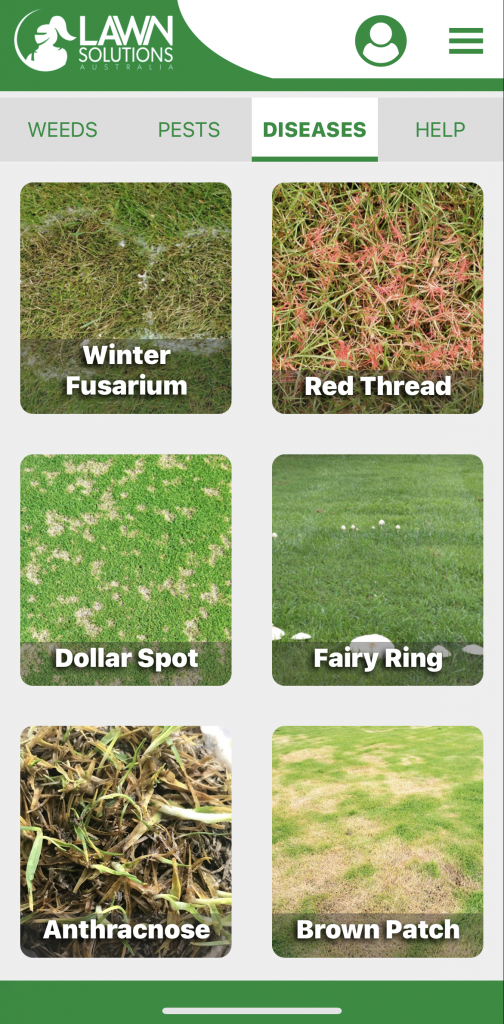
Source: freeappsforme.com
What Is an App to Identify Lawn Problems?
An app to identify lawn problems is a mobile tool that helps you investigate unhealthy grass. Most tools ask you to upload a photo or answer questions about what you see. Depending on the app, it may suggest a grass disease, insect pest, weed, watering issue, or other cause of damage.
Many apps use image recognition or artificial intelligence to compare your photo with examples in their databases. Some also use information about plant species, symptoms, weather, or location. The app then produces a list of possible causes and may suggest next steps. Results vary by app, image quality, grass type, and the conditions in your yard.
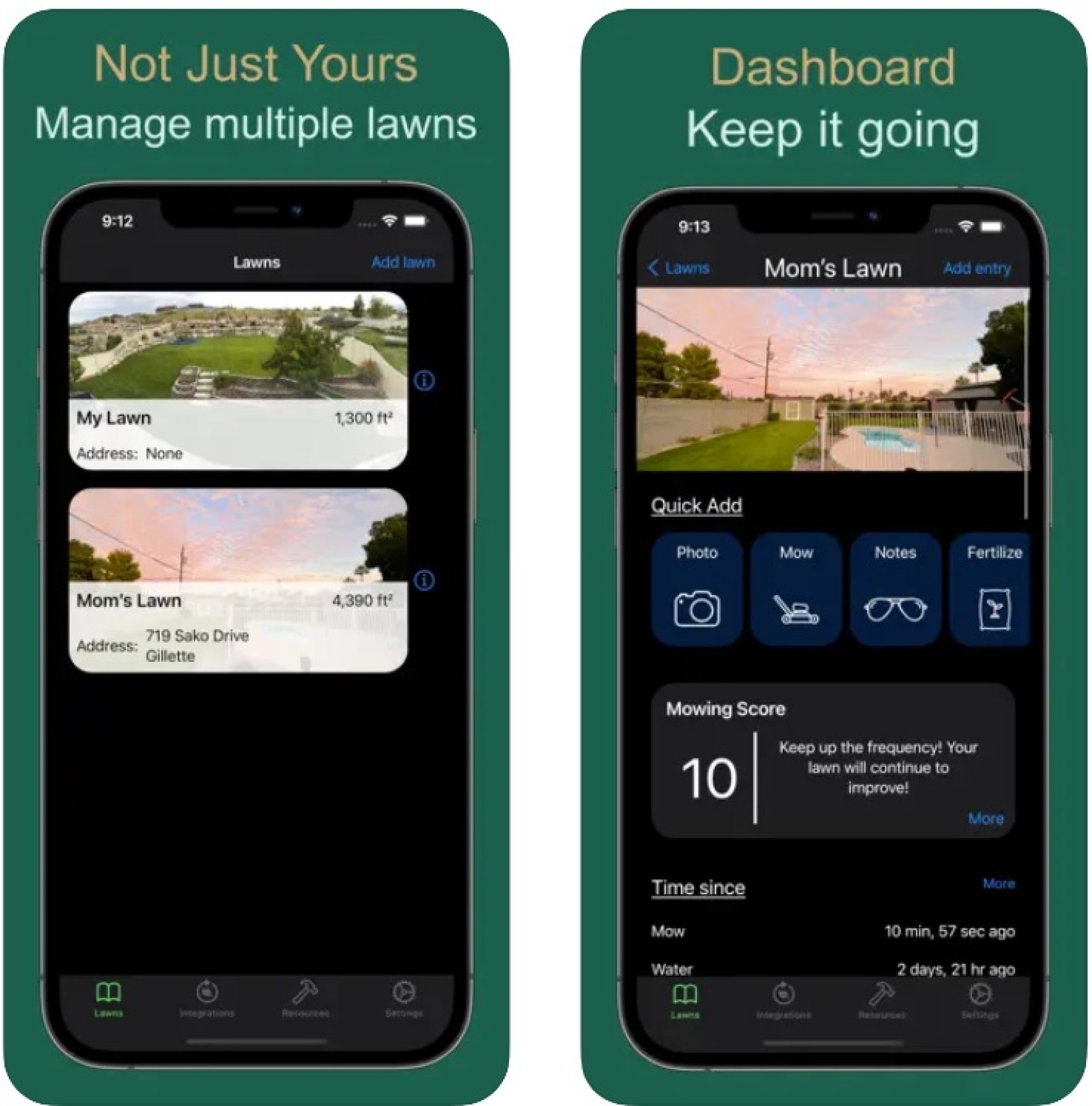
Not every lawn care app offers diagnosis. Some focus on mowing schedules, fertilizer reminders, irrigation plans, or service management. Before installing one, check whether it can identify grass diseases and turf problems rather than simply helping you maintain a lawn.
Source: expertsnutrite.com
Photo-based diagnosis
These tools analyze visible signs, such as spots, leaf discoloration, damaged blades, and unusual growth. They work best when the image is clear and the symptoms are easy to see.
Lawn care planning
These apps help organize mowing, watering, feeding, and seasonal work. They can support recovery after you identify the cause of the problem.
Professional lawn support
Some services let you request an assessment from a lawn care provider. This can help when a photo alone does not explain the damage.
How Does Lawn Diagnosis Technology Work?
The app compares the visible features in your photo with patterns linked to known plants, diseases, or other problems. It may recognize leaf color, spot shape, growth patterns, or damaged areas. Some tools also ask you to select symptoms or provide extra details before returning a result.
However, several lawn problems can look alike. Yellow grass may result from drought, excess water, poor nutrition, root damage, or disease. An app may identify a plausible match without knowing what is happening below the soil. Treat its answer as a hypothesis that needs a few simple checks.
Best use
Use the app to create a short list of likely causes and learn which symptoms to inspect.
Main limitation
A photograph cannot always reveal soil moisture, root health, insect activity, or the full history of lawn care.
Apps That Can Help Identify Lawn Problems
The best app depends on the question you need to answer. If you want to identify a grass species, choose a grass identification tool. If you need to investigate spots or dead patches, look for a service that supports plant disease diagnosis and lets you enter symptom details. A general plant app may help, but its lawn-specific features can vary.
Before choosing an app, review its current features, supported devices, subscription terms, privacy policy, and recent user feedback. App features and prices can change, so confirm the details in the official app listing. Do not assume a free download includes unlimited diagnoses or access to every feature.
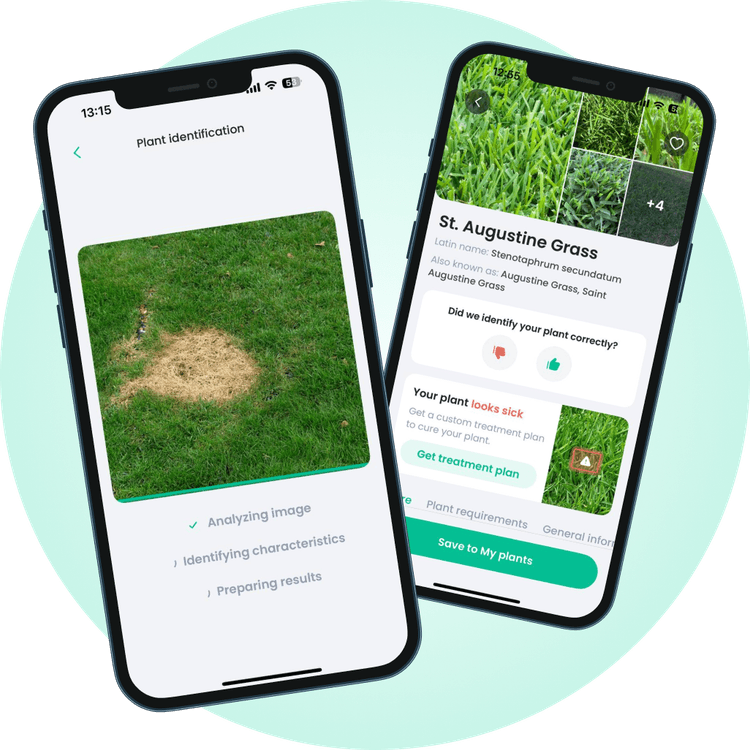
Source: myplantin.com
PlantIn
PlantIn offers plant identification and plant care features. Check its current feature list to confirm whether its available lawn diagnosis tools fit your needs. A plant-focused app may not reliably distinguish every turf disease or pest problem.
What Grass Is This
A grass identification tool can help narrow down the type of grass in your yard. Knowing whether you have a cool-season or warm-season grass can guide mowing, watering, and care decisions. Grass identification alone does not confirm why a lawn is damaged.
General plant diagnosis apps
These apps may recognize visible symptoms and suggest possible plant health issues. Check whether the service specifically covers turfgrass, common lawn diseases, and outdoor growing conditions.
Lawn care management apps
These tools help you record maintenance tasks and follow a care plan. They are useful for prevention and recovery, but a schedule-based app may not identify the cause of a new brown patch.
How to Choose the Right App
Start with the main problem in your yard. If you do not know what grass you have, species identification is a sensible first step. If you already know the grass type but see spreading spots, choose a tool with disease and symptom support. For recurring problems, look for a way to save photos and track changes over time.
Check diagnostic coverage
Look for grass diseases, insects, weeds, watering stress, and nutrient problems in the app description.
Review the cost
Check free limits, trial periods, renewal prices, and cancellation terms before subscribing.
Protect your privacy
Review how the app handles photos, location details, account information, and uploaded yard images.
How to Diagnose Lawn Damage With an App
You can get more useful results by combining a clear photo with basic information about your lawn. Do not rush to apply fertilizer, weed killer, or fungicide after seeing the first diagnosis. Start with observation, compare the symptoms, and rule out common causes that you can check safely.
The following steps work with most photo-based plant diagnosis tools. The exact buttons and features will depend on the app you choose. Keep a record of the symptoms and any changes you make so you can tell whether the lawn improves.
Source: freeappsforme.com
Step 1: Take clear photos
Photograph the damaged grass in natural light. Take one close-up of the blades and one wider photo showing the full patch and its surroundings. Avoid blurry images, deep shadows, and photos that contain mostly soil.
Step 2: Enter useful details
Add your grass type if known, the approximate size of the damaged area, recent rainfall, watering habits, and when the symptoms first appeared. Mention any recent mowing, fertilizer use, or lawn treatment.
Step 3: Review the suggested causes
Read the full explanation rather than selecting the first result. Compare the suggested cause with the shape of the patch, the condition of the blades, and the way the damage has spread.
Step 4: Check the lawn in person
Feel the soil to assess moisture, look for visible insects, and inspect the grass near the edge of the damaged area. Check whether healthy grass nearby has similar symptoms. Avoid disturbing areas that may contain hazardous chemicals or sharp debris.
Step 5: Choose a low-risk next step
Correct clear care problems first, such as a blocked sprinkler or poor water coverage. If a disease or pest remains likely, seek a reliable diagnosis before applying a targeted product.
Step 6: Track the result
Take another photo from the same angle after making a change. Record watering, weather, and treatment dates. Compare the spread of damage and new growth instead of judging success from one day’s appearance.
What Makes a Good Lawn Diagnosis Photo?
A useful photo shows the symptoms without hiding their details. Photograph individual grass blades when they have spots or unusual colors. Then step back and capture the shape of the damaged area. A close-up alone may hide a drainage problem, while a wide shot may make small lesions impossible to see.
Use natural light
Take photos in daylight when possible. Avoid glare, strong shadows, and digital filters that change the grass color.
Show the boundary
Include both damaged and healthy grass. A clear edge can help distinguish a spreading patch from general stress across the yard.
Keep a photo record
Save images with the date and a short note about recent weather or care. This gives you a better basis for comparison.
Common Lawn Problems an App May Help Identify
Lawn diagnosis apps can help narrow down several common problems, but symptoms often overlap. Use the visible signs below as clues rather than final diagnoses. The season, grass species, recent weather, soil condition, and local pests all affect what is most likely.
Source: thelandscapingzone.com
Yellow grass
Yellowing can result from too much water, too little water, nutrient shortages, root damage, or disease. Check soil moisture and sprinkler coverage first. Widespread yellowing and isolated yellow spots may have different causes.
Brown patches
Brown areas may reflect drought, fungal disease, insect feeding, dog urine, heat stress, or damaged roots. Check the pattern and the condition of nearby grass before choosing a treatment.
White or gray growth
A powdery or fuzzy coating can be linked to certain fungal diseases or other surface growth. Photograph the affected blades and note recent weather. Do not assume every pale coating needs a fungicide.
Thin grass and bare spots
Compacted soil, shade, heavy foot traffic, poor seed establishment, pests, and water problems can all reduce grass growth. Check whether the area receives enough light and whether water reaches the roots.
Weeds taking over
A weed identification app may help identify broadleaf weeds or grassy weeds. Correct identification matters because control methods differ by species, lawn type, and growth stage.
Chewed blades or loose turf
Insects and other pests can damage leaves or roots. Look for insects, feeding marks, or grass that lifts easily. If the cause is unclear, ask a local extension service or lawn care professional about suitable checks.
Use Symptoms to Narrow Down the Cause
Compare the symptom pattern with the conditions around the lawn. For example, grass that wilts during a dry spell and recovers after proper watering may be suffering from water stress. That pattern alone does not rule out root damage or disease, but it helps guide the next check.
Circular patches, irregular dead areas, leaf spots, and damage near sprinkler edges can each offer clues. None is a perfect sign of one cause. If the app gives several possible answers, focus on the checks that distinguish those causes instead of treating them all at once.
Check water delivery
Look for blocked sprinkler heads, uneven coverage, runoff, and soil that stays wet for long periods.
Inspect the blades
Look for spots, discoloration, torn tips, and signs of chewing. Take close-up photos before mowing the affected area.
Review recent care
Record fertilizer use, mowing height, herbicide application, and changes in irrigation. Recent treatments can sometimes explain sudden damage.
Compare Symptoms Before Treating Your Lawn
A simple comparison can help you decide what to investigate next. The table below links common symptoms to possible causes and a sensible first check. These are starting points, not confirmed diagnoses, and more than one problem can occur at the same time.
Source: themowersguide.com
Lawn Symptom and First-Check Table
Use this table alongside your app results. If a suggested cause does not match the conditions in your yard, do not force the diagnosis. Gather more evidence or seek local advice.
Yellow grass across a large area
Possible causes include water stress, poor drainage, nutrient issues, or root problems. Check soil moisture, irrigation coverage, and recent care.
Small brown or tan spots on blades
Possible causes include disease, physical damage, or chemical injury. Take clear close-ups and note the weather and any recent lawn products.
Grass pulls up with little effort
Root damage, severe stress, or insect activity may be involved. Inspect the soil and roots carefully, and seek help if the cause remains unclear.
Water pools after irrigation
Compaction, poor drainage, uneven grading, or excessive watering may be involved. Check sprinkler output and how quickly the soil absorbs water.
Weeds spread through thin turf
Poor grass density may allow weeds to establish. Identify the weeds and check mowing, light, soil moisture, and grass suitability before choosing control.
When the App Gives Conflicting Results
Conflicting results are a reason to pause, not to combine treatments. Take a fresh set of photos, add more symptom details, and compare the results with a trusted local source. University extension services often provide regional lawn care guidance that accounts for local grass species, climate, and common pests.
If the affected area continues to grow, the grass dies quickly, or repeated attempts fail, seek a more detailed assessment. A soil test may help identify some soil-related issues, while a turf diagnostic service may be needed to confirm certain diseases or pests.
Do not stack treatments
Avoid applying several products because different apps suggested different causes. Unneeded treatments can harm grass, affect nearby plants, or create risks for people, pets, and wildlife.
Keep evidence
Save photos, app results, product labels, and dates. These details can help a professional assess the problem.
How to Fix Lawn Problems After Diagnosis
The right fix depends on the cause. A lawn that needs water will not benefit from a disease treatment, and a fungal problem may not improve if you only change the mowing schedule. Confirm the likely cause first, then make one suitable change and watch the result.
Start with basic lawn care because many common problems are made worse by poor watering, unsuitable mowing, compacted soil, or the wrong grass for the site. These steps will not cure every disease or pest issue, but they can prevent avoidable stress and support healthy growth.
Source: expertsnutrite.com
Adjust watering
Water according to your grass type, soil, weather, and local restrictions. Aim for water to reach the root zone without causing runoff or leaving the soil constantly saturated. Check the soil before adding more water.
Mow at a suitable height
Use the recommended mowing height for your grass species. Cutting too short can stress the lawn and leave more soil exposed. Keep mower blades sharp to avoid tearing grass tips.
Improve soil conditions
Compacted soil may limit water, air, and root growth. Aeration can help in suitable conditions, but the timing and method depend on the grass type and season. A soil test can guide decisions about soil pH and nutrient needs.
Repair thin or bare areas
After correcting the cause, choose grass seed suited to your climate, sunlight, and soil. Follow local planting guidance and keep new seed moist without washing it away.
Use pest or disease treatments carefully
Confirm the target problem and read the full product label before applying a pesticide or fungicide. Use only products labeled for the intended site and pest or disease, and follow all directions for protective gear, application, re-entry, and pet safety.
When to Ask a Lawn Care Professional
Seek professional help when the lawn loses grass rapidly, damage spreads despite basic care, or the suspected cause requires a specialized test. A professional may inspect roots, identify insects, assess drainage, or collect samples for laboratory analysis. Choose someone who can explain the evidence behind the diagnosis and why a treatment is needed.
In the United States, a local Cooperative Extension office can also be a useful source of region-specific lawn advice. Some extension services offer diagnostic resources or referrals, although available services and fees vary by state and county.
Bring your records
Share photos, grass type if known, watering history, weather conditions, and details of recent treatments.
Ask about the cause
Request an explanation of the evidence and ask whether a soil test or laboratory diagnosis is needed before treatment.
Mistakes to Avoid When Using Lawn Diagnosis Apps
A lawn app is most useful when you treat it as one source of evidence. A quick result can feel convincing, especially when the photo looks similar to an example on the screen. Still, a visual match does not prove that the same disease, pest, or care issue is present in your yard.
Avoid making expensive or hard-to-reverse changes based on one unconfirmed result. Simple checks and good records often provide more value than repeatedly uploading similar photos or buying products that may not fit the problem.
Source: freeappsforme.com
Trusting the first result
Compare the suggested cause with visible signs and local conditions. Review other plausible causes before taking action.
Uploading poor photos
Blurry images, low light, and photos taken too far away can hide key symptoms. Capture both close and wide views.
Ignoring grass type
Grass species differ in their preferred mowing height, growing season, and response to weather. Identify the grass before following species-specific advice.
Applying products without confirmation
Unneeded fertilizer, herbicides, or fungicides can worsen some problems and create avoidable exposure risks. Read labels and confirm that the product fits the target problem.
Expecting instant recovery
Even after the cause is corrected, damaged grass may take time to recover. Track new growth and whether the damaged area stops spreading.
Overlooking regional conditions
Advice for a lawn in the Pacific Northwest may not fit a hot, humid yard in the Southeast. Use guidance suited to your state, grass type, and season.
Can You Rely on a Free Lawn Diagnosis App?
A free app can be useful for an initial check, grass identification, or a basic care plan. Its value depends on the quality of its database, how clearly it explains results, and whether it supports the lawn problem you have. Some free versions limit photo diagnoses or reserve detailed advice for paid plans.
You do not need a paid subscription for every lawn issue. For a simple watering problem, checking the soil and sprinkler coverage may be enough. For a serious disease or recurring damage, a qualified assessment may offer more value than paying for repeated automated guesses.
Try free features first
Check whether the app can answer your specific question before starting a trial or subscription.
Check the evidence
Prefer explanations that describe supporting symptoms and uncertainty over a result that offers a diagnosis without useful details.
Frequently Asked Questions
Q
Is there a free app to identify lawn problems?
Yes, some plant identification and lawn care apps offer free features that may help you investigate grass discoloration, weeds, and other visible symptoms. Free access may come with limits on photo checks, detailed reports, or professional advice. Review the current app listing and subscription terms before choosing one.
Q
Can an app identify grass disease from a photo?
Some apps can suggest possible grass diseases from a photo, but they cannot confirm every diagnosis. Different diseases and non-disease problems can produce similar signs. Take clear photos, provide details about recent weather and lawn care, and confirm the result with a trusted regional source when treatment depends on the diagnosis.
Q
What is the best app for identifying brown patches in grass?
The best option is an app that supports turfgrass disease diagnosis and allows you to add symptom details. Brown patches may result from drought, fungal disease, insects, chemical damage, or other causes. Choose a tool that explains its possible matches, then inspect the lawn before applying a treatment.
Q
Can a lawn diagnosis app identify pests and weeds?
Some apps identify weeds or visible insects, while others focus on plant diseases. Their ability to recognize lawn pests varies. A photo may help identify an insect or weed, but it may not establish how much damage is present or which control method is appropriate for your grass.
Q
Should I treat my lawn based only on an app result?
No. Use the result as a starting point and check whether the symptoms match the suggested cause. Review watering, drainage, grass type, weather, and recent treatments. Before applying a pesticide or fungicide, confirm the target problem and follow the product label. Ask a local extension service or qualified professional when the diagnosis remains uncertain.
✦ Wrapping Up
Conclusion
An app to identify lawn problems can make lawn care easier by helping you investigate yellow grass, brown patches, weeds, and other visible signs of trouble. The most useful app is one that fits your actual task, explains its results, and helps you decide what to check next. Grass identification, disease diagnosis, and lawn care planning are different features, so compare them before installing an app.
Remember that a photo is only part of the picture. Soil moisture, drainage, grass species, local weather, and recent lawn treatments can all affect the result. Use clear photos, keep simple records, and check the suggested cause before spending money on products. For spreading damage or an uncertain disease, seek advice from a local Cooperative Extension service or qualified lawn care professional.
💡 Key Takeaway
Start by photographing one damaged area and nearby healthy grass. Use a lawn diagnosis app to list possible causes, check soil moisture and recent care, and confirm the likely cause before treating your yard.